In this short blog, we overview the process to simply create and link QR codes to video SOP’s for your screen printing shop. Interested in learning more about SOP’s for your shop, read our other blog which outlines why and how to create create SOP’s for your screen printing shop.
Purpose:
To document the process of creating, hosting, and posting QR codes that link directly to Video SOPs for easy access by team members.
1. Capture Your SOP Video
Option A – Filming Physical Processes
- Use a camera or smartphone to record the procedure.
- Ensure good lighting and clear audio.
- Film close-up shots for detail and wide shots for context.
Option B – Recording Digital Processes
- Use a screen capture tool to record your computer screen.
- Mac Shortcut: Press Shift + Command + 5 to open screen recording options.
- Toggle the microphone ON if you want to record narration live.
- Toggle it OFF if you’ll add narration later.
2. Edit Your Video
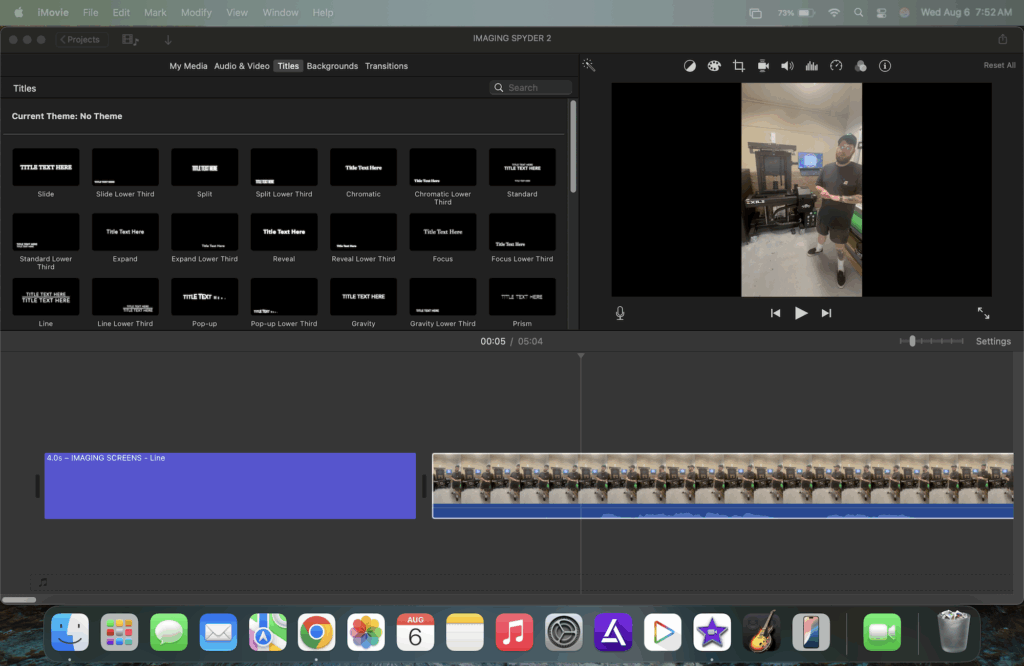
- iMovie (Mac) is a simple, user-friendly editing tool.
- Trim unwanted footage and tighten transitions.
- Add text overlays to label steps or tools being used.
- Insert title screens at the beginning and between sections for clear navigation.
- Adjust audio levels for clarity, and consider adding background music at a low volume (optional).
- Export the final version in MP4 or MOV format for easy uploading.
3. Host the Video Online
- Recommended Platforms:
- YouTube – Set privacy to Unlisted so only people with the link (or QR code) can view it.
- Google Drive – Ensure sharing settings are set to Anyone with the link can view.
- Upload your video and copy the shareable link.

4. Create the QR Code
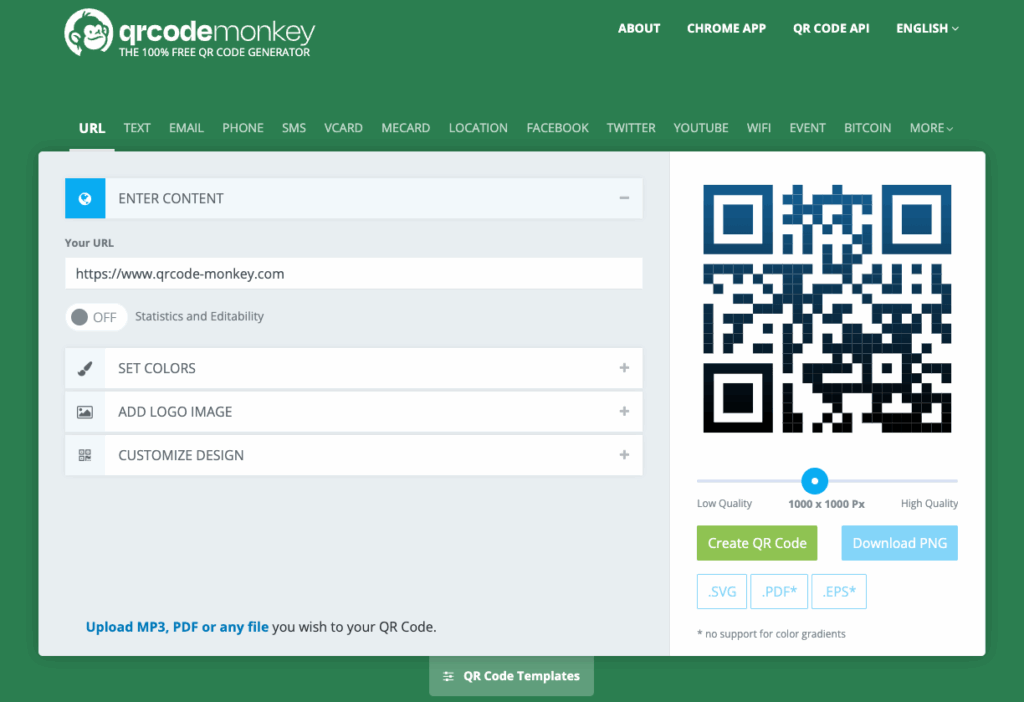
- Visit QR Code Monkey (free and user-friendly).
- Paste your video link into the URL field.
- Customize color/design if desired (optional).
- Click Create QR Code and then Download the image file.
5. Print and Post the QR Code
- Print the QR code at a size that can be easily scanned (minimum 2″x2″).
- Placement Suggestions:
- On the relevant machine for machine-related SOPs (tape directly to the machine in a visible, accessible spot).
- Near workstations for process-specific SOPs.
- Inside training manuals or posted in department areas.
- Use durable materials:
- Laminating the QR code extends its lifespan.
- Clear packing tape can protect it from moisture and wear.
Need Help Getting Started?
At MADE Lab, we help print shops create clear, customized SOPs—complete with videos, QR codes, and hands-on training. Through our Training & Support program, we’ll work with you and your team to document processes, train staff, and streamline production so your shop runs like a well-oiled press.